Polymrpolymr
Workflow engine for manufacturers

Operational workflows for manufacturers, built on the systems you already use.

Polymr connects ERP/MRP systems, drawings, BOMs, spreadsheets, email, inventory, accounting tools, vendor portals, and production activity to automate quoting, materials planning, procurement, purchasing, receiving, and production workflows.

Built for manufacturers operating across ERP, spreadsheets, drawings, supplier emails, vendor portals, and shop-floor systems.

Workflow · CAD → BOM → RFQ → PO
live
01
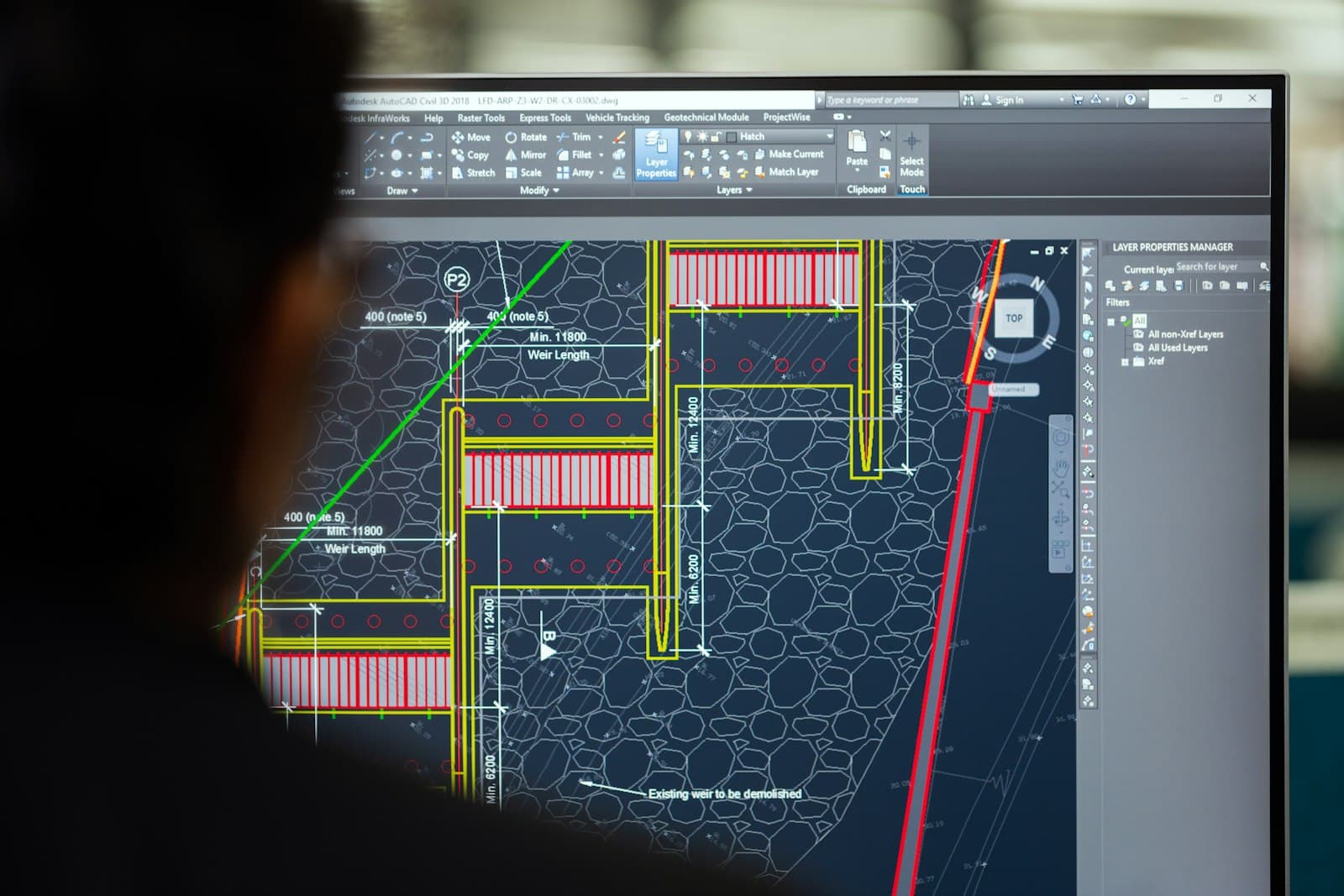
Drawing_REV_B.dxf
Source · CAD
02
BOM extracted
42 rows · normalized
03
3 supplier quotes
parsed + scored
04
Recommended vendor
Valson Components · lead-time low
05
Approval pending
buyer review · 1 step
06
Synced to SAP
PO 8843-A · audit logged

Extracted BOM

42 rows
SKUDescriptionQtyUnit
BR-M6-22Brass machine screw, M6×22mm96$1.18
OAK-LEG-30Oak conference-table leg, 30in24$13.42
WAL-TOP-72Walnut conference-top, 72×36in6$258.00
NBR-PAD-25NBR rubber foot pad, 25mm Ø24$0.78

Recommendation

Valson Components
Recommended
score 92· lead 5d$3,214
Hardwood Mills Co
score 81· lead 7d$3,388
Fastener Industries
score 74· lead 4d$3,512
Approval pending
buyer review
Approve & sync to SAP — single buyer confirmation. Audit trail recorded.
90%measured deployment
sourcing cycle-time reduction

Through SAP-integrated quote analysis and purchasing workflows.

2+ weeksmeasured deployment
engineering-to-purchasing delay eliminated

By automating BOM extraction from CAD/CAM files and routing purchasing updates automatically.

2xmeasured deployment
planning efficiency for MRP workflows

By updating planning inputs from real purchasing, inventory, and production activity.

The problem

Manufacturing workflows break between systems.

Your ERP has part of the truth. Spreadsheets hold planning logic. Emails contain supplier commitments and delays. Drawings contain engineering changes. Vendor portals hold pricing and lead times. Production activity changes daily.

Polymr connects these fragments into workflows that update as operations change.

ERP / MRP
Email
CAD / CAM
BOMs
Spreadsheets
Vendor portals
Inventory
Accounting
Production updates
Polymr

Operational context layer

Normalizes documents and system data into live items, BOMs, routings, suppliers, pricing, inventory, and purchasing context.

Source-linkedVersioned
AuditableHuman-approved
RFQs
Quote comparisons
Purchasing recommendations
Updated BOMs
Material plans
Receiving workflows
Margin insights
Bottleneck alerts
Workflow gallery

Automate the workflows your ERP was never configured to handle.

Polymr connects demand, engineering, sourcing, purchasing, inventory, and production workflows across the systems your team already uses.

CAD/CAM → BOM → RFQ

Turn drawings into purchasing workflows.

Inputs

  • CAD/CAM files (DXF/DWG/STEP)
  • PDF drawings
  • Cut-list exports
  • BOM templates
  • Part metadata

Automation

  • Extract BOM rows from drawings
  • Normalize items + UoM
  • Classify make-vs-buy parts
  • Match preferred vendors
  • Generate per-vendor RFQ packages

Outputs

  • Structured BOM
  • RFQ package
  • Vendor request list
  • ERP/MRP item updates
Systems involved:SolidWorksAutoCADFusion 360OptiCutSAPNetSuite
Ask about this workflow →
How Polymr works

A workflow layer across your existing manufacturing stack.

01

Connect

ERP, MRP, email, drawings, spreadsheets, inventory, accounting, vendor portals, and production systems.

ERP/MRPCAD/CAMEmailVendor portals
02

Structure

Normalize documents and system data into live items, BOMs, routings, suppliers, pricing, inventory, and purchasing context.

Source-linkedVersioned
03

Automate

Run governed workflows across quoting, planning, procurement, purchasing, receiving, and exceptions.

ApprovalsAuditable
04

Sync

Push approved actions back into ERP, MRP, accounting, purchasing, and planning systems.

ERP-syncedDecision trace
In-house agents

A control room of workflow agents.

Specialized agents for document intake, BOM extraction, quote comparison, planning, exception handling, and ERP sync. Each operates with source-linked context, human approval points, and workflow-specific constraints.

6 agents · all live
Agent · 01

Document Intake Agent

live

Reads RFQs, quotes, POs, invoices, drawings, emails, and attachments.

Inputs
  • Email threads
  • PDF / image attachments
  • Shared inboxes
  • Document uploads
Outputs
  • Classified document type
  • Linked entity
  • Extraction queue
Agent · 02

BOM Extraction Agent

live

Extracts structured components from drawings, CAD/CAM exports, cut lists, and BOM files.

Inputs
  • DXF/DWG/STEP
  • PDF drawings
  • Cut-list exports
  • Excel BOMs
Outputs
  • Structured BOM rows
  • UoM normalization
  • Make/buy classification
Agent · 03

Quote Comparison Agent

live

Compares vendors across price, lead time, MOQ, reliability, and historical variance.

Inputs
  • Supplier quote PDFs
  • Vendor portal exports
  • Historical price observations
Outputs
  • Comparison matrix
  • Recommended vendor
  • Approval payload
Agent · 04

Planning Agent

live

Updates material requirements using demand, inventory, routings, lead times, and open purchasing activity.

Inputs
  • Sales orders
  • Inventory
  • Open POs
  • BOMs
  • Routings
Outputs
  • Net requirements
  • Shortage alerts
  • Purchase recommendations
Agent · 05

Exception Agent

live

Detects supplier delays, engineering revisions, missing data, and production risks.

Inputs
  • Supplier emails
  • Open PO status
  • Production progress
  • Revision events
Outputs
  • Risk classification
  • Impact map
  • Recovery recommendation
Agent · 06

ERP Sync Agent

live

Prepares approved updates for ERP/MRP, accounting, and purchasing systems.

Inputs
  • Approved workflow actions
  • Target system schema
  • Audit metadata
Outputs
  • ERP-shaped payload
  • Sync confirmation
  • Decision trace
Integrations

Connect to the systems your operation already runs.

Enterprise ERPs, mid-market MRPs, accounting tools, CAD/CAM systems, email, vendor portals, spreadsheets, databases, homegrown internal tools. If a system can export, ingest, or expose an API, we connect to it.

70+
systems
6
categories
custom
Custom builds welcomed

Don't see your system? We'll build the integration.

Custom ERPs, legacy databases, homegrown spreadsheets, internal portals, proprietary CAD pipelines, in-house accounting tools — we ship custom connectors as part of standard implementation. Bring us anything.

+REST + GraphQL APIs
+Direct DB connectors
+SFTP + file drops
+Email + webhooks
+Custom ERPs
+Legacy export hooks

Featured ERP & MRP systems

Tier 1 · enterprise
ERP / MRP
SAP S/4HANA
ERP / MRP
Oracle Fusion Cloud ERP
ERP / MRP
Microsoft Dynamics 365
ERP / MRP
NetSuite
ERP / MRP
Epicor Kinetic
ERP / MRP
Infor CloudSuite
SAP Business OneAcumaticaIFS CloudDELMIAworksOdooSYSPROIQMSApteanFDM4KatanaMRPeasyFishbowlTallyZoho Inventory
Finance

Accounting / Finance

8

Push approved purchasing and receiving actions back into the books.

QuickBooksXeroTallyNetSuite FinancialsSAP FinanceMicrosoft Dynamics FinanceSage IntacctZoho Books
Engineering

CAD / CAM / Engineering

12

Extract BOMs and engineering revisions directly from design files.

SolidWorksAutoCADFusion 360CATIASiemens NXMastercamOptiCutDXFDWGPDF drawingsCut-list exportsCAD/CAM file drops
Channels

Email / Documents

9

Quotes, RFQs, POs, invoices, and supplier threads ingested from the channels operators already use.

GmailOutlookMicrosoft 365Shared inboxesEmail forwardingPDF attachmentsExcelCSVSupplier quote emails
Procurement

Vendor / Purchasing

6

Pull pricing, lead times, and confirmations from supplier-side surfaces.

Vendor portalsSupplier quote portalsProcurement inboxesRFQ templatesPurchase order PDFsSupplier scorecards
Data

Data / Enterprise

12

For IT teams that want a clean read/write integration path.

SnowflakeDatabricksPostgreSQLMSSQLOracle DBS3SharePointGoogle DriveBoxOneDriveREST APIsWebhooks
Implementation

Modular rollout. Days per module, not quarters per ERP.

Polymr ships module-by-module. Each module has its own success metric, its own pricing, and its own timeline. Faster than traditional ERP projects. Cheaper upfront than competing rollouts. Failsafe contracts tie payment to measured outcomes.

01

Workflow discovery

Map current process · identify source systems · collect sample documents · define success metric · choose first module.

02

Connect + structure

Connect email/document intake · connect ERP/MRP exports or APIs · load items, BOMs, vendors, routings, inventory, purchasing data · configure permissions and approvals.

03

Ship first module

Configure workflow · validate outputs with operators · add approvals and exceptions · sync to ERP/MRP · go live on the agreed success metric.

04

Add next module

Pay per module as it ships. Add the next workflow, integration, or operational surface only after the previous one hits its success metric.

Modular rollout

One module at a time. Each ships in days, not quarters. Skip the multi-quarter ERP cutover.

Lower upfront cost

Pay per module on delivery. No six-figure implementation invoice before you see live output.

Failsafe contract

Each module ties to a defined success metric. If it doesn't hit the metric, you don't pay for it.

Commercial model

Success-aligned pricing.

Each module is scoped to a measurable operational outcome — sourcing cycle time, planner hours saved, RFQ-to-PO latency, document touch-time removed. Pricing, payment, and rollout tied to those outcomes.

Fixed-scope module
Agreed success metric + baseline
Pay per module on delivery
Custom integrations on scope
Configurable workflows

Configure governed workflows without rebuilding your operations.

Configurable triggers, approvals, routing rules, document types, ERP sync behavior, vendor logic, and exception handling. Operators adapt workflows while technical teams extend deeper integrations where needed.

Workflow builder · New supplier quote
draft
Trigger
New supplier quote received
Source: Outlook (procurement@polymr.com)
Condition
Quote passes policy
Vendor approved · Part in active BOM · Lead time < 14d · Variance < 8% · Confidence ≥ 92%
Action
Compare + generate recommendation
3 vendor scores · audit trail · source-linked
Approval
Request buyer approval
Single-step · 24h SLA · escalate to manager on timeout
ERP Sync
Sync approved purchase action to SAP
Document type: PO · Signed payload · sync confirmation
Process

Book a call. See it on your data. Sign a failsafe contract.

Three steps. No SDR funnels, no multi-month evaluations, no consultant relay-races. The first call is direct with Polymr's CEO and Chief ERP Consultant.

01
Step 1

Book a call

with the CEO + Chief ERP Consultant

Direct call with Polymr's CEO and Chief ERP Consultant — not an SDR. We get the actual operational context in 30 minutes.

02
Step 2

Demo on your data

live, on one real workflow

Send us one piece of your real data — a drawing, an RFQ packet, a BOM, an order log. We run Polymr on it and show the working result, usually within days.

03
Step 3

Failsafe contract

success-aligned, modular rollout

Sign a failsafe contract tied to defined success metrics. Implementation goes module-by-module — pay as each module ships and proves value.

Faster timeline than anyone else.

Modular delivery means working software in days, not the 6–18 month traditional ERP rollout cycle.

Lower upfront cost than anyone else.

Pay per module as it ships. No multi-hundred-thousand-dollar implementation invoice before you see value.

Failsafe contract structure.

Success metrics defined upfront. If a module doesn't hit the metric, you don't pay for it.

Case studies

Proven on real manufacturing workflows.

Each result is anchored to a specific source-system stack, a defined before state, and a measured outcome. Customer-approved logos available on request under NDA.

Multi-site industrial components manufacturer · SAP S/4HANA

SAP-integrated quote analysis

SAPOutlookVendor portals
Before

Buyers re-keyed 60–80 supplier quote PDFs per week into SAP, comparing prices by hand across spreadsheets.

Workflow

Quote PDFs and supplier emails ingested → parsed → scored against price, lead time, MOQ, reliability → recommended vendor surfaced for buyer approval → approved purchase action synced into SAP.

90%
sourcing cycle-time reduction
measured deployment
Make-to-order discrete manufacturer · SolidWorks + custom ERP

CAD/CAM → BOM → RFQ automation

SolidWorksCustom ERPEmail
Before

Engineers handed drawings to purchasing on Friday; BOMs were re-typed manually and RFQs went out the following Tuesday.

Workflow

New revision drawing dropped → BOM extracted + normalized → make/buy classification → preferred vendors matched → per-vendor RFQ package generated and ready for buyer review.

2+ weeks
engineering-to-purchasing delay eliminated
measured deployment
High-volume process manufacturer · NetSuite + spreadsheets

MRP planning input automation

NetSuiteExcelEmail
Before

Planners spent 8–10 hours per week reconciling inventory, open POs, and production progress before running MRP.

Workflow

Live inventory movements, supplier confirmations, and shop-floor updates rolled into a single planning context. Net requirements and exceptions surfaced with one click into NetSuite.

2x
planning efficiency for MRP workflows
measured deployment

Built by operators, engineers, and ERP experts.

Polymr's team includes engineers with experience at Amazon, Microsoft, and Google, alongside ERP implementation expertise from consultants with 40+ years in manufacturing systems.

Request references
Final step

Show us one workflow. We'll show you what Polymr can automate.

Send us the workflow your team still runs through emails, spreadsheets, drawings, vendor portals, or disconnected ERP screens. We'll configure a demo around your real process and show where automation can create measurable operational value.

Workflow intake
Current ERP/MRPSAP S/4HANA
Workflow painQuote-to-PO cycle time
Systems involvedEmail · Vendor portals · SAP
Sample documentquote_8843_acme.pdf
Desired outcome−70% sourcing cycle time
Ready to be configured on your data.